Hello, This is Nagasaka from PalmTrees.
Today, I’d like to share my impressions and practical review of the Tascam Portacapture X6.
Appearance & Design
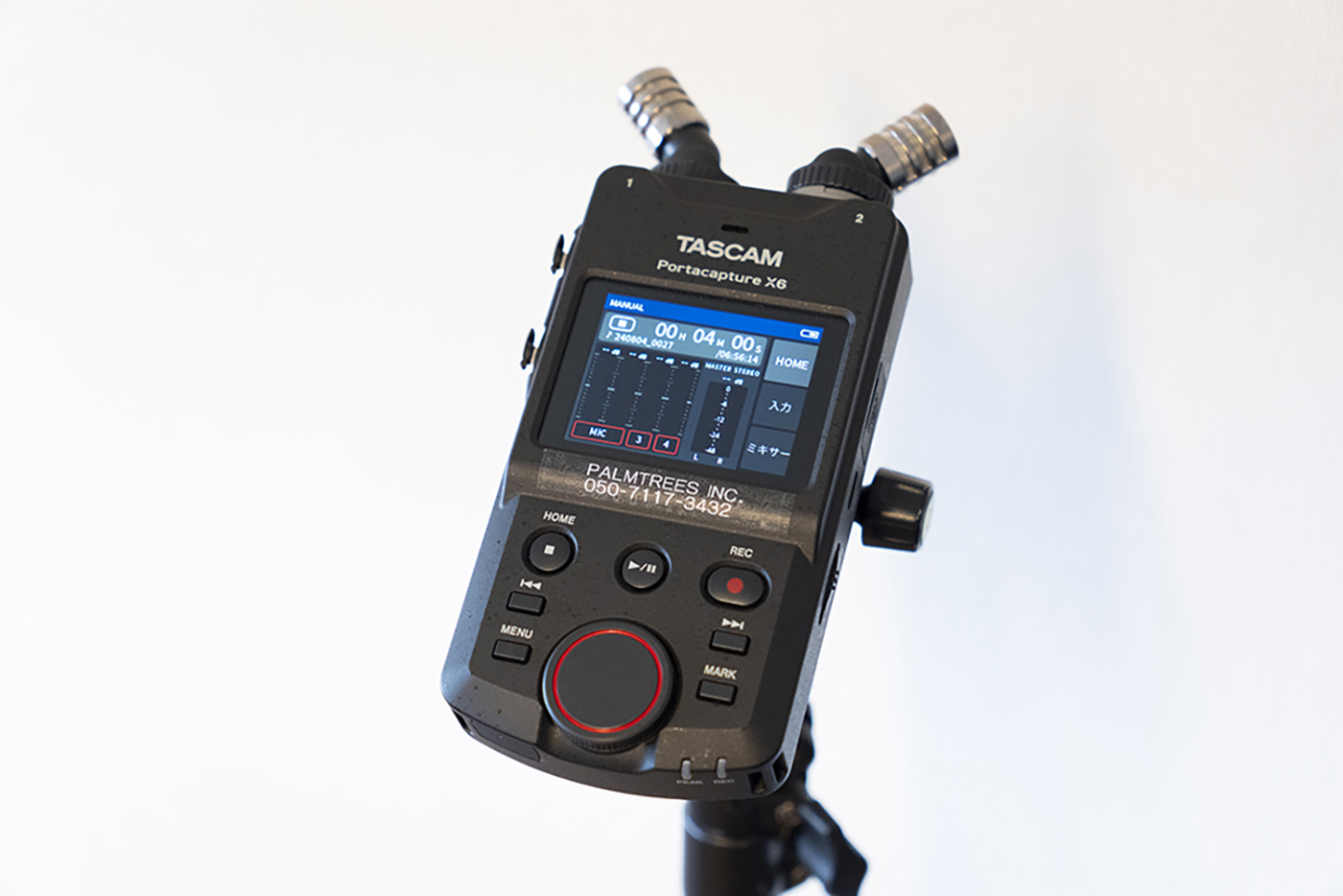
This model is primarily operated via a touchscreen, so compared to the DR‑100MKIII and other Tascam units,
it has fewer physical buttons and a very minimal, clean design.
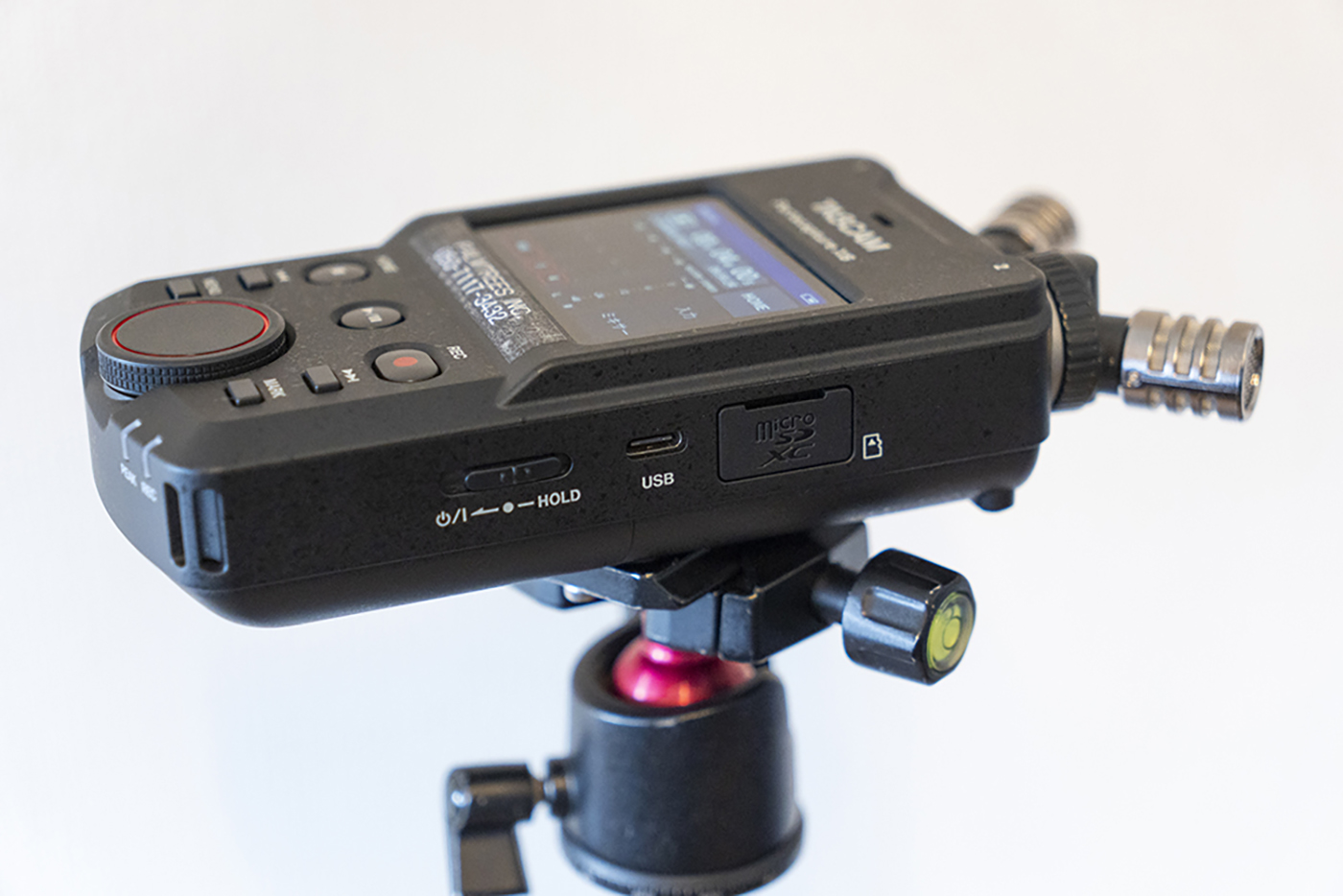
On the right side:
・Power ON/OFF | HOLD switch
・microSD card slot
・USB Type‑C port
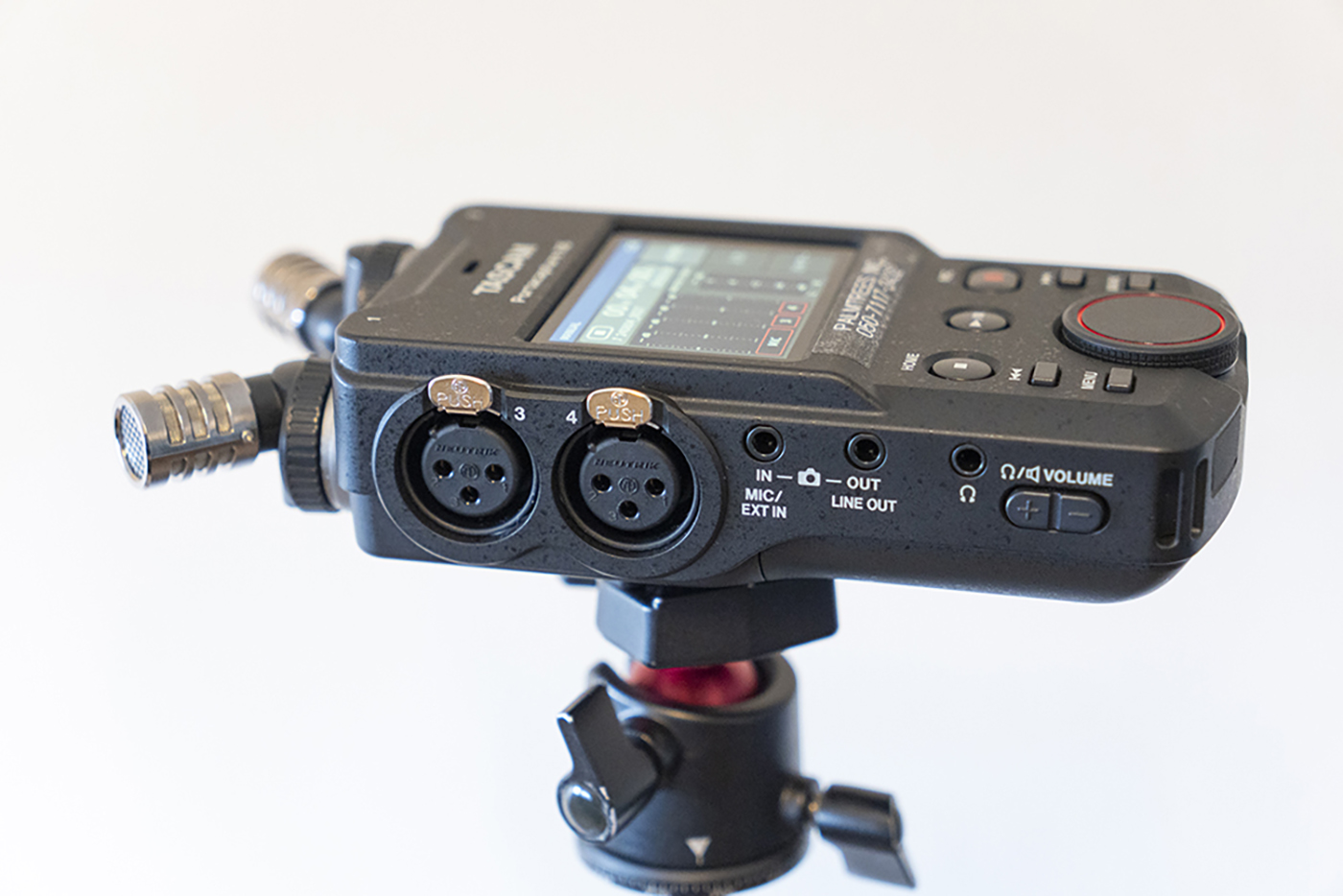
On the left side:
・Volume control
・Two XLR inputs
・Camera in (EXT IN) / Camera out (LINE OUT)
・Headphone jack
AB and XY Recording Modes
The X6 supports both AB and XY microphone configurations.
- AB captures a wider stereo field
- XY focuses more on the center, similar to using a 50mm prime lens versus a wide lens
For ambient sound, I usually choose AB,
and when recording directly in front of a speaker or a specific source, I switch to XY.
Why I Chose the Portacapture X6
1. 32‑bit Float Recording
This is honestly the biggest reason I purchased it.
In real-world event recording, there often isn’t enough time to properly check levels during rehearsal—
and many venues don’t have a dedicated audio engineer available.
There are many situations where recording starts without any level check.
In those cases, I rely on Auto Gain and let the recorder handle it.
You can choose between High and Low; I always use Low for safety, and it has never caused issues with clipping or low levels.
2. Simultaneous Mic (1/2ch) and Line Recording (3/4ch)
his was the deciding factor over the DR‑100MKIII.
Physical buttons are easier for professional use, but the DR‑100MKIII cannot record mic and line inputs at the same time.
For event shooting, I often need:
- Line audio on channel 3
- Ambient sound on channels 1 and 2
The DR‑100MKIII can only record either line or mic, not both.
That limitation made the X6 the better choice.
Previously, I used the DR‑701D for line recording and set up a separate mic for ambience.
The X6 has made my setup much more compact and efficient.
3. Increasing Need for a Portable All‑in‑One Recorder
With the rise of simple PA systems
—Bluetooth mics connected directly to speakers without a mixer
— there are more situations where there is no line out available.
In those cases, placing a recorder in front of the speaker becomes necessary.
Ideally, I’d always receive a line feed, but I want to be prepared for any situation,
so having an all‑in‑one portable recorder is essential.
Sound Quality: Clean and Flat
In this video featuring drummer/percussionist SEIJI MORI,
the line audio was recorded with the DR‑701D (4ch), and the ambient sound was captured with the Portacapture X6.
The X6’s sound is flat and easy to work with,
so much so that I often use it as my main recorder.
If the audio in the video sounds slightly “smiley‑EQ,” that’s due to post‑processing—not the recorder itself.
Because the raw sound is flat, it’s extremely easy to shape during editing.
Conclusion
Audio is, in many ways, the most difficult part of production.
Whenever I have time on site, I ask PA engineers questions and learn from them,
but unlike photo or video, audio is something you can’t see, which makes it even deeper and more complex.
Within that context, the Portacapture X6 is intuitive, and the reliability of 32‑bit float is a huge advantage.
For creators like us—videographers and still photographers— this recorder becomes a very strong ally.
Audio professionals may have different opinions, but personally, I’m extremely satisfied with this portable recorder.
Thank you for reading. See you again soon.
Nagasaka PalmTrees Inc.
PALMTREES INC.
https://www.palm-trees.co.jp/en